
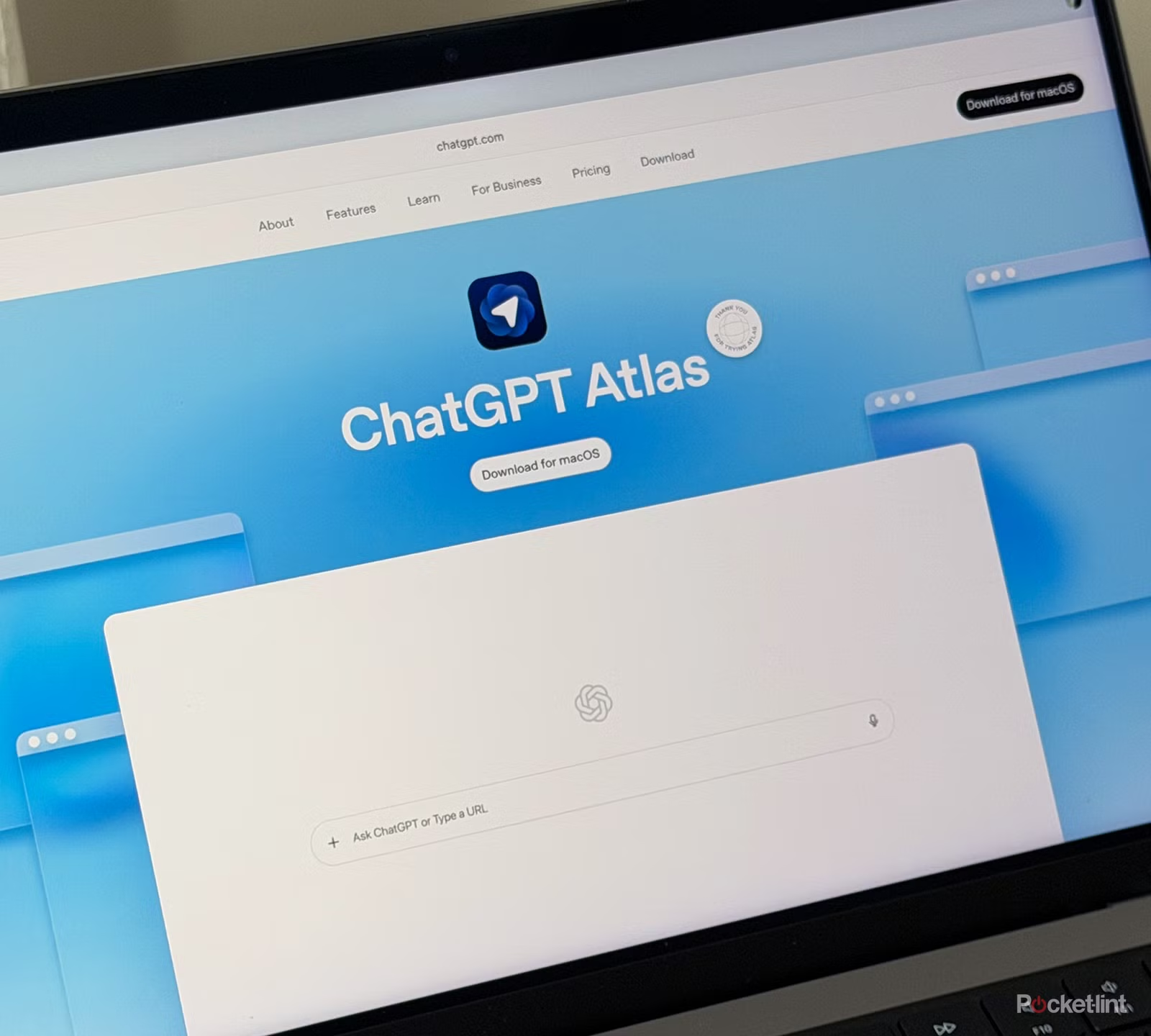
The way people use the internet is changing. Instead of opening a browser, searching for information, copying text, and moving between different tools, AI-powered browsers aim to bring those steps together.
ChatGPT Atlas was OpenAI’s attempt at this idea. Introduced in October 2025, Atlas was a Chromium-based browser for Mac with ChatGPT built into the browsing experience. Users could ask questions about webpages, summarize content, search the web, and use ChatGPT while staying on the page they were viewing.
Atlas also introduced features such as browser memories and agent mode, giving ChatGPT more context about a user’s browsing activity and allowing it to perform certain actions in the browser.
There is an important update, though: OpenAI later announced that Atlas was being discontinued and that its browser-based agent work would move into ChatGPT and Codex. Atlas was scheduled to stop working on August 9, 2026.
What Is ChatGPT Atlas?
ChatGPT Atlas was an AI-powered web browser developed by OpenAI. Unlike a conventional browser, it placed ChatGPT directly into the browsing experience.
OpenAI described Atlas as a browser with ChatGPT built in. It was designed to help users understand webpages, find information, research topics, and complete certain tasks without constantly switching between a browser and an AI chatbot.
Atlas was built on Chromium and was initially available for macOS. It could also import information such as bookmarks, passwords, and browsing history from another browser during setup.
Who Was ChatGPT Atlas For?
Atlas was particularly useful for people who spent a lot of time researching online, including:
- Students
- Researchers
- Writers
- Marketers
- Developers
- Business professionals
- People managing online projects
For example, someone researching a competitor could open a webpage and ask ChatGPT to explain the main points instead of manually reading every section.
How ChatGPT Atlas Worked
Atlas combined traditional browsing with ChatGPT assistance.
Users could enter a website address or question in the browser and then interact with ChatGPT while browsing. The browser also included an Ask ChatGPT sidebar, which allowed users to summarize pages, extract information, explain content, or draft text without leaving the current tab.
A typical workflow could look like this:
- Open a webpage.
- Select Ask ChatGPT.
- Ask ChatGPT to summarize or analyze the page.
- Request specific information.
- Continue browsing while keeping the conversation available.
This approach was designed to reduce the amount of copying and pasting required during online research.
Key Features of ChatGPT Atlas
1. Ask ChatGPT Sidebar
The sidebar was one of Atlas’s central features. It allowed users to interact with ChatGPT alongside the webpage they were viewing.
Users could ask it to:
- Summarize an article
- Explain complicated information
- Extract important details
- Draft text
- Answer questions about page content
This was especially useful when researching long articles or technical documentation.
2. Web Search
Atlas combined browser navigation with AI-assisted search. Its new-tab experience allowed users to ask questions and explore search links, images, videos, and news where available.
That made it possible to move from a broad question to a specific webpage without opening multiple tools.
3. Browser Memories
Another distinctive feature was browser memories.
When enabled, ChatGPT could remember useful context from websites a user had visited. For example, someone researching job opportunities could later ask ChatGPT to find previous job listings they had viewed and summarize common trends.
Browser memories were optional, and users could view or archive them through settings. Deleting browsing history also removed associated browser memories.
4. Agent Mode
Atlas also introduced an agent mode that could take actions in the browser.
Instead of simply answering a question, the agent could potentially navigate websites, click through pages, research information, and help complete multi-step workflows. OpenAI initially made agent mode available in preview for Plus, Pro, and Business users.
For example, a user could ask an agent to research several websites and prepare a summary.
However, OpenAI emphasized that agent mode could make mistakes and that users should monitor its actions, especially when dealing with sensitive accounts or information.
ChatGPT Atlas and Privacy
AI browsers naturally raise privacy questions because they can interact with information users see online.
Atlas included controls for browsing data, browser memories, website visibility, and other privacy settings. Users could control whether ChatGPT could read webpage content for on-page assistance and could manage browser memories separately from regular ChatGPT memories.
Users should always review privacy settings before allowing an AI assistant to interact with sensitive websites.
For important accounts, such as banking or financial services, extra caution is especially important. OpenAI included safeguards around agent interactions with sensitive sites.
Benefits of an AI-Powered Browser
The main advantage of a browser like Atlas was convenience.
Faster Research
Instead of reading several pages manually, users could ask AI to identify the most relevant information.
Less Copying and Pasting
ChatGPT could work alongside the webpage, reducing the need to move text between applications.
Better Context
Browser memories could provide continuity across browsing sessions when users chose to enable them.
Task Assistance
Agent mode demonstrated how AI could move beyond answering questions and begin helping with browser-based workflows.
For SEO professionals, researchers, and content creators, these capabilities could potentially make research and information gathering much faster.
Limitations of ChatGPT Atlas
Despite its innovative approach, Atlas had limitations.
First, it was a relatively new product and some agent workflows could make mistakes. OpenAI specifically warned that agent capabilities carried risks, including the possibility of malicious instructions being hidden inside webpages or emails.
Second, Atlas was focused on Mac users. OpenAI’s original launch stated that macOS was the initial platform, with other operating systems planned at that time.
Most importantly, Atlas was ultimately discontinued. That means users should not treat it as a current long-term browser option.
What Happened to ChatGPT Atlas?
OpenAI announced that it was deprecating ChatGPT Atlas and moving the lessons and browser-based agent capabilities into ChatGPT and Codex. According to OpenAI’s current guidance, Atlas was scheduled to stop working on August 9, 2026.
Users were advised to save important information before the shutdown.
This included:
- Exporting bookmarks
- Saving important webpages
- Recording URLs for important open tabs
- Preserving other browser information where supported
OpenAI also noted that ChatGPT conversation history was separate from Atlas browser data.
What Comes After Atlas?
The end of Atlas does not mean OpenAI has abandoned browser-based AI.
Instead, OpenAI says it is building browser-based agent capabilities into ChatGPT and Codex. The company describes the newer direction as supporting features such as multiple tabs, improved navigation, downloads, account login support, and other browser capabilities where available.
This represents a broader shift from AI simply answering questions toward AI helping users complete tasks across the web.
Key Takeaways
- ChatGPT Atlas was OpenAI’s AI-powered Chromium browser for Mac.
- It integrated ChatGPT directly into the browsing experience.
- Users could summarize webpages, extract information, and ask questions while browsing.
- Browser memories could retain useful browsing context when enabled.
- Agent mode allowed ChatGPT to perform certain browser actions.
- Atlas included controls for browsing data and privacy.
- OpenAI later deprecated Atlas.
- Atlas was scheduled to stop working on August 9, 2026.
- OpenAI is moving browser-based agent capabilities into ChatGPT and Codex.
FAQs
1. What is ChatGPT Atlas?
ChatGPT Atlas was an AI-powered web browser created by OpenAI. It had ChatGPT integrated directly into the browser and could assist users with browsing, research, webpage summaries, and certain browser-based tasks.
2. Was ChatGPT Atlas free?
Atlas originally launched for Free, Plus, Pro, and Go users on macOS, while Business users could access it in beta. Availability and features varied by plan.
3. Is ChatGPT Atlas still available?
No. OpenAI announced that Atlas was being deprecated and scheduled to stop working on August 9, 2026.
4. What was the main purpose of ChatGPT Atlas?
Its main purpose was to combine normal web browsing with ChatGPT assistance. Users could ask questions about webpages, summarize information, research topics, and use AI assistance without leaving the browser.
5. Did ChatGPT Atlas have an AI agent?
Yes. Atlas included an agent mode that could perform certain actions in the browser. It was released as a preview and came with safeguards because browser agents can make mistakes or encounter malicious webpage instructions.
6. What is replacing ChatGPT Atlas?
OpenAI says it is moving browser-based agent capabilities into ChatGPT and Codex, with a focus on more capable browser workflows.
7. Could Atlas remember websites I visited?
Atlas included optional browser memories. These could help ChatGPT remember useful context from browsing activity, while users retained controls over those memories.
Conclusion
ChatGPT Atlas was an important experiment in combining artificial intelligence with everyday web browsing. Instead of treating the browser and chatbot as separate tools, OpenAI designed Atlas around the idea that ChatGPT could understand what users were viewing and assist directly within the browsing experience.
Its features included webpage assistance, search, browser memories, and agent mode. However, Atlas was ultimately deprecated, with OpenAI shifting its browser-agent work into ChatGPT and Codex.
For users interested in the future of AI-powered browsing, the most important development is therefore not Atlas itself, but the technology and workflow ideas that OpenAI is carrying forward into its newer products.
Learn About: Megazee.com
