
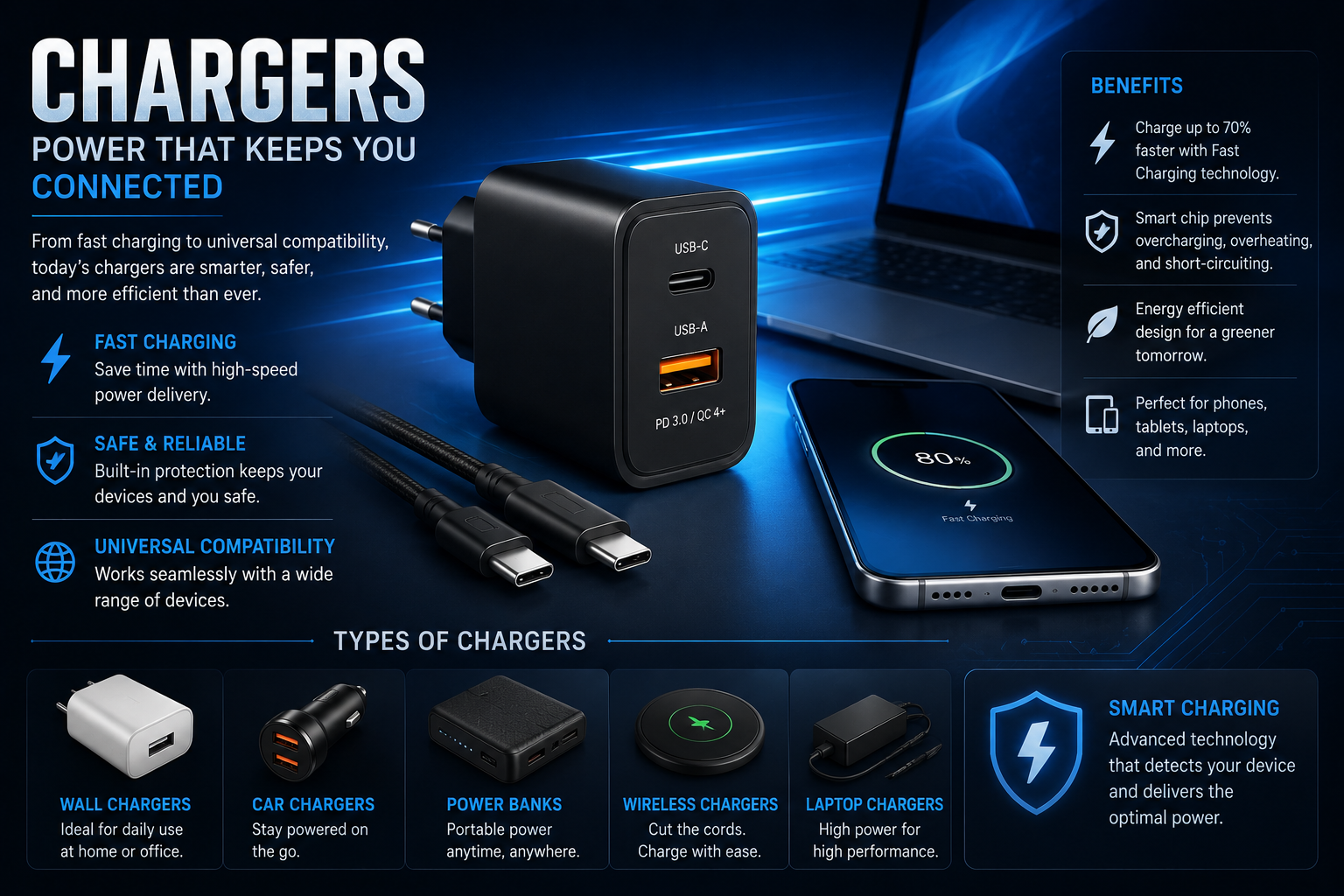
Ever plugged your phone in before bed, only to wake up and realize it was barely charged? I’ve been there. Sometimes the problem isn’t the phone or the battery. It’s the charger.
With phones, tablets, laptops, earbuds, smartwatches, gaming accessories, and other gadgets all sitting around the house, choosing the right charging accessory can get surprisingly confusing. One cable may look almost identical to another, while the charging speed can be completely different.
The good news is that you don’t need to be a tech expert to understand what makes a charger good. A few basic things—power output, compatibility, charging standards, cable quality, and safety—can make a huge difference.
Why the Right Charger Matters
A charger does more than simply send power to a device. It works with your device to deliver an appropriate amount of electricity while managing heat and charging speed.
Using a suitable charger can help you get faster and more reliable charging. On the other hand, a poor-quality accessory may charge slowly, become unusually hot, or stop working after a short time.
That doesn’t mean you always need the most expensive option. Sometimes a reasonably priced charger from a reputable manufacturer is all you need.
The key is matching the charger to the device.
Understanding Charging Power
One of the first numbers you’ll notice when shopping for charging accessories is wattage.
What Does Wattage Mean?
Wattage tells you how much electrical power a charger can provide. For example, a 20W charger can deliver up to 20 watts under the right conditions.
A basic smartphone might work perfectly well with a 20W or 25W charger, while some tablets and laptops need considerably more power.
But there’s a small catch. A charger being rated for 100W doesn’t mean your phone will suddenly charge at 100W. The device decides how much power it can safely accept.
That’s why buying the biggest charger you can find isn’t always useful.
Fast Charging Explained
Fast charging has become almost standard on modern smartphones. Instead of taking several hours to fill a battery, compatible devices can reach a useful charge much quicker.
Different manufacturers use different fast-charging technologies. USB Power Delivery, commonly called USB PD, is one of the widely used standards, especially with USB-C devices.
Some phones also support proprietary charging systems that can provide even higher speeds with compatible accessories.
So before buying, check the maximum charging speed supported by your device.
USB-C Has Changed the Charging Game
USB-C has made charging much simpler in many ways.
The connector is reversible, so you don’t have to worry about inserting it upside down. More importantly, USB-C can handle data transfer and power delivery across a wide range of devices.
Modern phones, tablets, laptops, headphones, cameras, and gaming devices may all use USB-C.
But don’t assume every USB-C cable performs exactly the same way.
Not Every USB-C Cable Is Equal
This is where people often get caught out.
Two cables can have the same USB-C connector but support different charging speeds, data-transfer rates, or power levels.
If you’re charging a laptop, for example, you’ll want a cable capable of handling the required wattage. A basic cable designed for a smaller device may not be the best choice.
For everyday phone charging, a quality USB-C cable from a reliable brand is usually more than enough.
Wall Chargers vs. Multi-Port Chargers
A simple wall charger is still the easiest choice for many people. Plug it into an outlet, connect your device, and you’re done.
But multi-port models can be incredibly convenient.
When a Multi-Port Charger Makes Sense
Think about a normal nightstand. You might have a phone, smartwatch, earbuds, and tablet all needing power.
Instead of filling every outlet with separate adapters, one multi-port charger can handle several devices.
Some models use a combination of USB-C and USB-A ports, while newer designs focus mainly on USB-C.
There is one thing to remember: when multiple devices are connected, the available power may be divided between them. A charger advertised as 65W, for example, may not provide the full 65W to every connected device at the same time.
Portable Charging for Travel
Travel changes the equation a little.
A compact charging adapter can save space in your bag, especially if it can charge several devices from one unit.
For people who travel frequently, GaN chargers are worth considering. Gallium nitride technology allows manufacturers to build powerful chargers that can be smaller than many older designs.
That means you can potentially carry a high-output laptop charger without sacrificing half your luggage space.
And honestly, when you’re rushing through an airport, every bit of saved space helps.
Wireless Charging: Convenient, But Different
Wireless charging is one of those features you might not appreciate until you start using it every day.
You simply place a compatible phone on the charging pad instead of plugging in a cable.
It’s particularly handy on a desk or bedside table. Pick up the phone, use it, and put it back down. No cable hunting.
Is Wireless Charging Faster?
Usually, wired charging has the advantage when maximum speed is the priority.
Wireless charging can also generate more heat depending on the device, charging pad, alignment, and power level.
For convenience, though, it’s hard to beat.
If you regularly charge your phone overnight or while working at a desk, wireless charging can be a very comfortable option.
How to Choose a Safe Charger
Safety should never be treated as an afterthought.
Cheap charging accessories are tempting, especially when you see a huge price difference between two products. But saving a few dollars isn’t worth it if the accessory uses poor-quality components or lacks appropriate safety protections.
Look for reputable manufacturers and products that clearly provide their specifications.
Check These Things Before Buying
- Power output and supported charging standards
- Compatibility with your device
- Quality and length of the cable
- Number and type of ports
- Safety certifications where applicable
- Manufacturer reputation
- Warranty or return policy
I’d also avoid damaged cables. If the insulation is torn, connectors are bent, or the cable gets unusually hot, replacing it is the sensible move.
Common Charging Mistakes
A lot of charging problems come from simple mistakes.
One common issue is buying a powerful adapter but pairing it with a poor-quality cable. The charger might be capable of fast charging, but the cable can become the limiting factor.
Another mistake is assuming that every USB-C accessory supports the same features.
And then there’s heat.
Phones naturally warm up during charging, particularly during fast charging. But excessive or unusual heat shouldn’t be ignored. Keep the device and charging equipment away from things that trap heat, such as thick bedding or poorly ventilated spaces.
Should You Buy the Most Powerful Charger?
Not necessarily.
A 140W charger may sound impressive, but if you only need to charge a smartphone, you may never benefit from that extra capacity.
Instead, think about what you actually own.
If you have a phone, tablet, and laptop, a quality 65W or higher multi-port USB-C charger might be more useful than several smaller adapters.
If you only need something for your phone, a compact charger that supports the phone’s recommended charging standard is usually the better choice.
A Few Practical Tips for Better Charging
Small habits can make charging easier.
Keep a spare cable at your desk if you spend most of your day working there. Having another one in your travel bag can also prevent the classic “I forgot my charger” problem.
Try not to use visibly damaged accessories.
If your phone suddenly starts charging much slower than usual, test another cable and power adapter before assuming the battery is failing. Sometimes the accessory is the actual problem.
And when buying new equipment, check the device manufacturer’s recommended specifications first. Five minutes of checking can save you from buying the wrong thing.
The Future of Charging
Charging technology keeps moving quickly. USB-C is becoming increasingly common, power delivery is improving, and wireless charging continues to get more convenient.
The bigger trend is consolidation. Instead of carrying separate adapters for every gadget, many people can now use one capable charger for several devices.
That’s useful at home, at work, and especially while traveling.
The technology may sound complicated when you start looking at watts, volts, charging protocols, and cable specifications. But once you understand the basics, it becomes much easier to choose what you actually need.
Final Thoughts
The best Chargers aren’t necessarily the biggest, fastest, or most expensive ones. They’re the ones that match your devices, provide the right amount of power, and do the job reliably.
Before buying, check your device’s charging requirements, pay attention to wattage and compatibility, and don’t overlook the cable. A good setup should make charging feel effortless—not like another piece of technology you have to troubleshoot.
And if you’re buying for several devices, a quality multi-port USB-C charger may be one of the simplest upgrades you can make to your everyday tech setup.
FAQs About Chargers
What type of charger is best for a smartphone?
A charger that supports your phone’s recommended charging standard and power level is usually the best choice. For many modern phones, a USB-C power adapter with USB Power Delivery is a practical option.
Does a higher-watt charger charge every phone faster?
No. Your phone controls how much power it accepts. A higher-watt adapter can be useful for compatibility with other devices, but it won’t automatically make every phone charge at its maximum speed.
Are USB-C cables all the same?
No. USB-C describes the connector, not necessarily the cable’s complete capabilities. Cables can differ in charging power, data-transfer speeds, and supported features.
Is wireless charging safe?
Wireless charging is generally safe when you use compatible, quality equipment. Your device and charger are designed to regulate power, although some heat during charging is normal.
Can one charger charge a phone and laptop?
Yes, if the charger provides enough power and supports the appropriate charging standard. A sufficiently powerful USB-C charger can often handle both a smartphone and a compatible laptop.
Why does my phone charge slowly?
A weak adapter, damaged cable, dirty port, heat, or heavy usage can slow charging. Try a different compatible charger and cable.
Read More About: Navien Tech Support
