
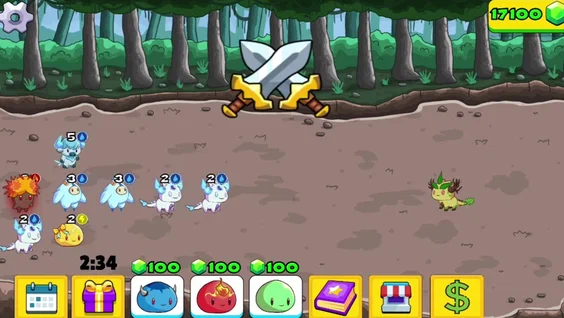
Finding a simple online game shouldn’t require installing large files or creating complicated accounts. That is one reason browser gaming remains popular. Instead of downloading a game, players can open a website, choose a title, and start playing directly in the browser.
Yandex Games is built around this idea. The platform provides a large collection of free online games covering different interests and age groups. Users can find everything from quick puzzle games and arcade challenges to racing, action, strategy, and multiplayer experiences.
For players, the biggest attraction is convenience. For developers, the platform provides an opportunity to publish HTML5 games and reach an established audience without building a separate distribution system from scratch.
This guide explains how Yandex Games works, what types of games you can find, how to choose games safely, and why the platform is also useful for independent game developers.
What Is Yandex Games?
Yandex Games is a free online gaming platform operated by Yandex. It hosts browser-based games that users can play without downloading a separate game file.
The platform includes games in many genres, including action, puzzles, racing, casual games, and multiplayer titles. Yandex says users can access its games through popular browsers, including Yandex Browser, as well as supported Yandex applications and services.
The browser-based format makes the service particularly convenient for people who want a short gaming session. A player can choose a game, wait for it to load, and begin playing without installing a traditional desktop application.
How Does Yandex Games Work?
The basic process is straightforward:
- Open the Yandex Games platform.
- Browse or search through available titles.
- Select a game that interests you.
- Wait for the game to load.
- Follow the instructions displayed inside the game.
- Continue playing or choose another title when finished.
Many games are designed for immediate play, making the platform suitable for short breaks as well as longer sessions.
Because games are delivered through the browser, performance can depend on your internet connection, device, browser, and the technical requirements of the individual game.
Popular Game Categories
One of the strongest features of the platform is its variety. Different players can find different experiences without moving between multiple gaming websites.
Puzzle Games
Puzzle games are suitable for players who enjoy logic, matching, problem-solving, and quick challenges. They often have simple controls, making them easy to understand.
Examples include:
- Match-three games
- Word puzzles
- Number games
- Logic challenges
- Memory games
These games can be especially convenient when you only have a few minutes to play.
Racing Games
Racing titles provide a more action-focused experience. Depending on the game, players may control cars, motorcycles, or other vehicles.
Common features include:
- Time trials
- Obstacle courses
- Competitive races
- Vehicle upgrades
- Different tracks
Action Games
Action games generally focus on movement, combat, challenges, or fast reactions. They can range from simple arcade-style titles to more developed browser experiences.
Strategy Games
Strategy games require players to make decisions rather than relying only on quick reflexes. Some involve resource management, tactical planning, building, or defending an area.
Casual Games
Casual games are designed to be easy to start and understand. They are often a good choice for someone who wants entertainment without spending time learning complicated controls.
Multiplayer Games
Some browser games offer multiplayer features, allowing players to compete or interact with other users. Availability and features vary from game to game.
How to Play Yandex Games
Playing a browser game is generally easier than installing a traditional PC game.
Start by opening the official Yandex Games service in a supported browser. Browse the catalog or use available categories to find something suitable. Once you select a title, the game loads inside the browser.
Before starting, check the game’s instructions. Some games use keyboard controls, while others are designed primarily for touchscreens or mouse input.
For the best experience:
- Use a stable internet connection.
- Keep your browser updated.
- Close unnecessary tabs if the game is running slowly.
- Check whether the game supports your device.
- Read the game’s instructions before playing.
If a particular title does not load correctly, trying another browser or clearing cached website data may help. Browser extensions can sometimes interfere with online game content as well. Yandex’s browser support documentation recommends checking extensions and clearing the cache when certain media or game content fails to load correctly.
Benefits of Yandex Games for Players
No Traditional Game Download
The most obvious advantage is convenience. Yandex describes the platform as offering free games that require no downloads.
This can save storage space and reduce the setup time normally associated with installing games.
Wide Range of Genres
Instead of focusing on one type of game, the platform covers numerous genres. That makes it easier for users with different interests to find something enjoyable.
Easy Access
Browser-based gaming means players can often move from searching to playing in just a few steps.
Suitable for Different Devices
Yandex Games supports browser-based access across supported devices. The official FAQ lists access through browsers and several Yandex applications and services.
However, the exact experience can vary depending on the device and individual game.
Yandex Games for Developers
The platform is not only designed for players. It also provides a distribution channel for game developers.
Yandex describes Yandex Games as a platform for publishing browser-based games and provides developers with a Games Console for uploading projects. Developers can publish new games as well as games that are already hosted on other platforms, provided they meet the platform’s requirements.
A simplified publishing workflow looks like this:
| Stage | What Happens |
| Development | Build and test the browser game |
| SDK integration | Connect the Yandex Games SDK or an appropriate plugin |
| Developer account | Register through the Games Console |
| Draft | Create and complete the game listing |
| Testing | Check the game and technical requirements |
| Moderation | Submit the project for review |
| Publication | Release the approved game |
| Optimization | Analyze performance and improve the experience |
The Yandex Games SDK is important because it connects a game with platform features such as advertising, in-app purchases, player progress, and leaderboards. Yandex states that SDK integration is required for successful moderation and publication.
Monetization and Game Growth
For developers, publishing is only the first step. A successful game also needs player retention and ongoing improvement.
Yandex provides tools for analyzing games, conducting A/B tests, managing updates, responding to reviews, and adding leaderboards. Developers can use these tools to identify problems and test changes based on player behavior.
Monetization can include advertising and in-app purchases, depending on the game’s implementation and platform requirements. Official Yandex documentation explains that developers can enable monetization after publication.
A useful development cycle is:
Launch → Measure → Test → Improve → Update → Measure again
This approach is generally more effective than publishing a game and leaving it unchanged.
Tips for Choosing Better Games
With many titles available, choosing a game can sometimes take longer than actually playing one.
Consider these factors:
Check the Genre
Start with the type of experience you want. A puzzle game may be better for a quiet break, while a racing or action game may suit someone looking for faster gameplay.
Look at the Game Description
Read the available description before launching. It can help you understand the objective, controls, and basic mechanics.
Consider Age Recommendations
Yandex notes that games have recommended age restrictions and that games are reviewed for prohibited content and viruses before being added to the catalog.
Parents should still supervise children’s online activity and choose games appropriate for their child’s age.
Avoid Suspicious External Requests
Be cautious if a game unexpectedly asks you to visit an unrelated website, download an unknown file, or provide sensitive information. A normal browser game should not require you to share passwords or financial information simply to start playing.
Common Problems and Solutions
Browser games can occasionally experience technical issues.
Game Is Not Loading
Try refreshing the page and checking your internet connection. If the problem continues, test another supported browser.
Game Runs Slowly
Close unnecessary browser tabs and applications. Also check whether your device is handling other demanding tasks in the background.
Black Screen or Missing Content
Browser extensions can sometimes block parts of online content. Yandex recommends disabling extensions temporarily and clearing the browser cache when certain media or game content does not display correctly.
Progress Is Not Saving
Saving features depend on how the individual game is developed and which Yandex Games SDK features it uses. The platform’s SDK supports player progress and other game services when developers implement them.
Key Takeaways
- Yandex Games is a browser-based platform for free online games.
- Players can find action, puzzle, racing, strategy, casual, and multiplayer titles.
- Many games can be played without traditional downloads.
- The platform is accessible through supported browsers and Yandex services.
- Developers can publish browser-based games through the Yandex Games Console.
- The Yandex Games SDK provides features such as advertising, purchases, progress saving, and leaderboards.
- Developers can use analytics, A/B testing, reviews, and updates to improve game performance.
- Players should consider age recommendations and avoid suspicious requests for personal information.
FAQs
1. What is Yandex Games?
Yandex Games is an online platform offering free browser-based games across multiple genres. Users can access games without installing traditional game files.
2. Are Yandex Games free?
The platform offers free online games, although individual games may contain optional in-game purchases or advertising depending on how the developer has implemented monetization.
3. Do I need to download games to play?
Generally, no. Yandex describes its service as a browser-based gaming platform where users can play games without downloads.
4. Can I play Yandex Games on a phone?
Yes. Yandex’s official documentation lists access through supported mobile applications and browser-based services. The exact compatibility can depend on the individual game and device.
5. Can developers publish games on Yandex Games?
Yes. Developers can create a Games Console account, prepare their project, integrate the required SDK, upload the game, and submit it for moderation.
6. Does Yandex Games support multiplayer games?
Yes. Multiplayer games are among the categories available on the platform. Individual multiplayer features depend on the game itself.
7. Can developers make money from Yandex Games?
Developers can monetize published games through supported advertising and in-app purchase features. Yandex provides official tools for configuring monetization and other game services.
Conclusion
Yandex Games offers a convenient way to discover and play browser-based games without the traditional installation process. Its broad selection makes the platform useful for casual players, puzzle fans, racing enthusiasts, strategy gamers, and people looking for quick entertainment.
The platform also has a developer-focused side. With publishing tools, SDK integration, monetization options, analytics, A/B testing, and player engagement features, it provides developers with more than simply a place to host a game.
For players, the best approach is to choose games that match their interests, pay attention to age recommendations, and use a secure browsing environment. For developers, consistent testing, meaningful updates, and attention to player feedback can make a much bigger difference than simply publishing a title and waiting for traffic.
Learn About : Free Online Games
