
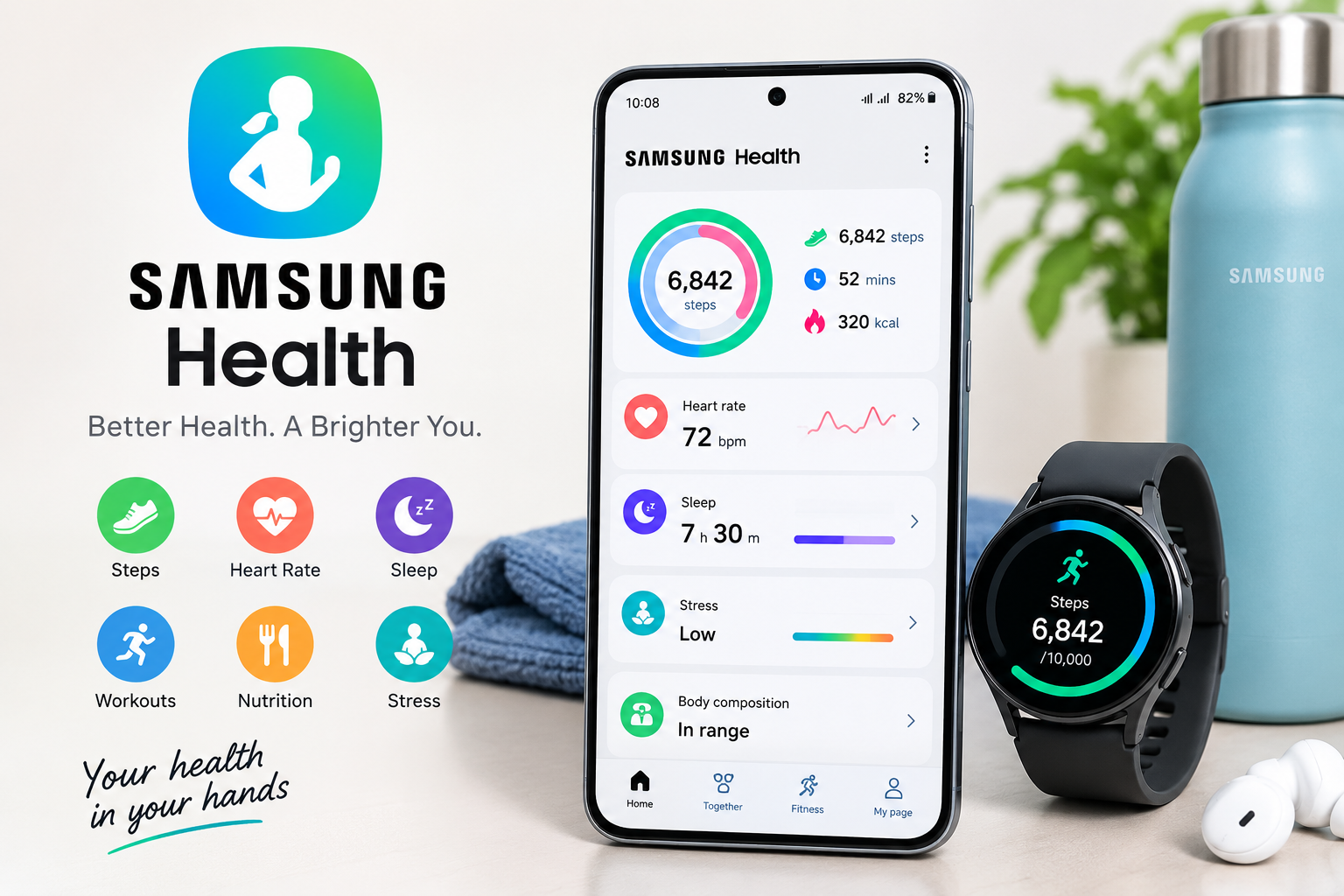
Managing health goals can become difficult when information is spread across different apps and devices. Samsung Health brings many everyday wellness tools together in one place, allowing users to monitor activity, exercise, sleep, nutrition, mindfulness, and selected health measurements.
The app can be used on compatible smartphones and can connect with Samsung wearables such as Galaxy Watch and Galaxy Ring. Depending on the device and software version, users can access different tracking features and insights.
Whether you want to count your daily steps, record a workout, understand your sleep routine, track meals, or review your progress, Samsung Health provides a central dashboard for these activities.
What Is Samsung Health?
Samsung Health is a health and fitness platform designed for general wellness and everyday activity tracking. It collects information from compatible Samsung devices and connected services and presents it through different trackers and reports.
Users can monitor information such as:
- Daily steps and activity
- Exercise and workout history
- Sleep patterns
- Food and calorie intake
- Water consumption
- Stress
- Body composition
- Heart rate and selected vital measurements
- Menstrual cycle information
- Weekly progress
The exact features available can depend on the smartphone, wearable, region, and software version. Samsung describes the platform as a tool for general wellness rather than a replacement for professional medical care.
How Samsung Health Works
Samsung Health can use sensors and information from your smartphone or compatible wearable devices to record different types of activity.
For example, the app can use the acceleration sensor in a compatible smartphone to calculate steps and estimate distance using step count and stride length.
When paired with a compatible Galaxy Watch or Galaxy Ring, the available information can become more extensive. Depending on the device, users may be able to collect sleep, heart-rate, blood oxygen, workout, body composition, and other wellness data.
This connected approach makes it easier to see different aspects of daily habits from one dashboard instead of maintaining separate records.
Key Samsung Health Features
Samsung Health covers several areas of everyday wellness. Its main tools include activity tracking, sleep monitoring, exercise, nutrition, mindfulness, and selected health measurements.
Activity and Step Tracking
The step tracker records daily movement and allows users to review their progress over different periods. Samsung Health can also combine activity information from connected devices.
Users can set activity goals and use their daily movement history to understand how active they are throughout the day.
Workout Tracking
Samsung Health supports a wide range of exercises. Depending on the compatible device, users can manually start workouts or use automatic workout detection for supported activities.
Samsung currently promotes more than 100 workout options and provides tools for activities such as running, cycling and swimming.
Workout history can help users look back at previous sessions and identify changes in their activity habits.
Samsung Health for Sleep Tracking
Sleep is one of the major areas covered by Samsung Health.
With a compatible Galaxy Watch or Galaxy Ring, the platform can collect sleep-related information such as sleep stages, movement, heart rate and breathing-related measurements. Samsung Health can then provide reports and insights about sleeping patterns.
Sleep Coaching and Bedtime Guidance
Samsung Health also offers features designed to encourage more consistent sleep habits.
Bedtime Guidance uses previous sleep information and a desired wake-up time to suggest a bedtime. Sleep Coaching can create a personalized program after sufficient sleep data has been collected.
These tools are most useful when viewed as habit-building aids rather than medical diagnosis tools. Samsung specifically states that its sleep tracking features are intended for general wellness purposes.
Exercise and Fitness Tracking
For people who exercise regularly, Samsung Health can act as a central workout log.
You can use it to record activities, review workout history, and monitor relevant measurements during exercise. Compatible Galaxy Watches can provide additional information while you train.
For example, Samsung highlights specialized tracking for activities such as running, cycling and swimming. Some supported devices can also automatically detect certain workouts.
The app can therefore be useful for both casual users who simply want to become more active and people who want a longer-term record of their workouts.
Nutrition and Body Composition
Healthy habits are not limited to exercise. Samsung Health also includes tools for recording food and monitoring nutritional habits.
The Food Tracker allows users to log meals and review information about calorie and nutrient intake. Samsung also provides barcode-based food logging in supported versions and regions.
Compatible Galaxy Watches can provide body composition measurements, including information related to body fat and skeletal muscle. These measurements can be useful for observing changes over time, although users should interpret them appropriately and not treat wearable measurements as a substitute for professional assessment.
Water tracking is another simple feature that can help users keep a record of their daily fluid intake.
Mindfulness and Stress Tracking
Samsung Health also includes tools focused on relaxation and mindfulness.
Depending on the supported device, users can monitor stress-related information and access breathing exercises. The platform also provides meditation and relaxation content in supported markets.
These features can be particularly useful for people who want to build short relaxation breaks into their daily routine.
Samsung Health With Galaxy Wearables
Samsung Health becomes more useful when paired with compatible Galaxy wearables because the devices can collect information throughout the day and, in some cases, during sleep.
A compatible Galaxy Watch can provide access to features such as:
- Heart-rate monitoring
- Sleep tracking
- Exercise tracking
- Step counting
- Blood oxygen measurements
- Body composition
- Stress tracking
- Workout information
However, not every Galaxy Watch or Galaxy Ring offers exactly the same features. Availability can vary according to the device, operating system, region, and software version.
Is Samsung Health Free?
Yes. Samsung states that the Samsung Health app can be downloaded for free through the Google Play Store and Galaxy Store. It is also available on compatible Android smartphones from manufacturers other than Samsung, although some services and features may depend on the device.
Some advanced functions require compatible Samsung hardware. For example, certain sleep and health measurements require a supported Galaxy Watch or Galaxy Ring.
This means you can use Samsung Health without necessarily owning a Galaxy wearable, but a compatible wearable can expand the information available to you.
Privacy and Health Data
Health information is sensitive, so privacy is an important consideration when using any health-tracking platform.
Samsung says health information collected through Samsung Health is encrypted and securely stored using its Knox security platform. Samsung also provides controls around health-data permissions and describes consumer health-data rights in its privacy documentation.
If you connect third-party apps or services, review the permissions they request. Samsung’s developer documentation explains that connected applications require user permission to access supported health-data types, and permissions can be changed.
Before enabling a new feature, it is sensible to check what information it collects and why that information is needed.
Tips for Getting More From Samsung Health
To make the app more useful, focus on consistent tracking rather than trying to monitor everything at once.
1. Start With a Few Goals
Choose simple goals such as increasing daily activity, maintaining a consistent sleep schedule, or recording workouts regularly.
2. Keep Your Information Updated
Accurate personal information and consistent logging can make your reports more useful.
3. Review Trends Instead of Single Measurements
One unusual reading does not necessarily tell you much. Looking at patterns over weeks or months can provide more useful context.
4. Connect Compatible Devices
If you already use a supported Galaxy Watch or Ring, connecting it can provide additional activity and wellness information.
5. Treat Health Data as Guidance
Samsung Health is designed for general wellness. It should not be used by itself to diagnose or treat a medical condition. If you are concerned about a health measurement or symptom, discuss it with a qualified healthcare professional.
Key Takeaways
- Samsung Health combines activity, fitness, sleep, nutrition, mindfulness, and selected health tracking tools.
- The app is available for free on compatible Android devices.
- Galaxy Watch and Galaxy Ring can expand the health and fitness information available.
- Sleep Coaching and Bedtime Guidance can support healthier sleep routines.
- Food, water, exercise, and body composition tracking can help users monitor everyday habits.
- Available features vary by device, software version, and region.
- Samsung Health is intended for general wellness and should not replace professional medical advice.
FAQs
1. What is Samsung Health used for?
Samsung Health is used to track everyday wellness information such as steps, workouts, sleep, nutrition, stress, and selected health measurements. It provides a central place to review activity and wellness trends.
2. Is Samsung Health free?
Yes. Samsung says the Samsung Health app can be downloaded for free through the Google Play Store and Galaxy Store. Some features require compatible Samsung devices.
3. Can Samsung Health track sleep?
Yes. Samsung Health supports sleep tracking, and compatible Galaxy Watch or Galaxy Ring devices can provide additional sleep information such as sleep stages and other measurements.
4. Do I need a Galaxy Watch to use Samsung Health?
No. Samsung Health can be used on compatible smartphones without a Galaxy Watch. However, certain advanced tracking features require supported wearable hardware.
5. Can Samsung Health track workouts?
Yes. Samsung Health can record many different types of exercise and maintain workout history. Compatible devices can also provide additional exercise measurements and automatic workout detection for supported activities.
6. Can Samsung Health track food?
Yes. Samsung Health includes food-tracking tools that allow users to record meals and review calorie and nutrient information.
7. Is Samsung Health a medical app?
Samsung Health is primarily a general wellness and fitness platform. Samsung states that its tracking information is not intended to diagnose, treat, cure, or prevent medical conditions.
Conclusion
Samsung Health provides a convenient way to bring everyday wellness information into one place. From steps and workouts to sleep, nutrition, mindfulness, and selected health measurements, the platform can help users understand their routines and follow changes over time.
Its capabilities become broader when paired with compatible Galaxy wearables, while availability varies by device and region. Used as a wellness and habit-tracking tool—not as a replacement for medical care—Samsung Health can make personal health information easier to monitor and understand.
Learn More About: Physical Activity and Fitness
